

To store text in a vector database, it must first be converted into a vector, also known as an embedding. Typically, this vectorization is done by a third party.
By selecting an embedding model when you create your Upstash Vector database, you can now upsert and query raw string data when using your database instead of converting your text to a vector first. The vectorization is done automatically by your selected model.
Models#
Upstash Vector hosts the following embedding model for dense and hybrid indexes:
| Name | Dimension | Sequence Length | MTEB |
|---|---|---|---|
| openai/text-embedding-3-small | 1536 | 8191 | 62.3 |
The MTEB score is the average reported by OpenAI in its model announcement.
The sequence length is not a hard limit. The model truncates the input appropriately when given raw text that would result in more tokens than the given sequence length. However, we recommend not exceeding the sequence length to have more accurate results.
For sparse and hybrid indexes, the following model can be selected:
| Name |
|---|
| BM25 |
See Creating Sparse Vectors for the details of the above model.
The BGE models (BAAI/bge-large-en-v1.5, BAAI/bge-base-en-v1.5,
BAAI/bge-small-en-v1.5 and BAAI/bge-m3) are no longer available for new
indexes. If you need a different model, you can generate the embeddings
yourself and create the index with a custom dimension.
Using a Model#
To start using embedding models, create the index with a model of your choice.
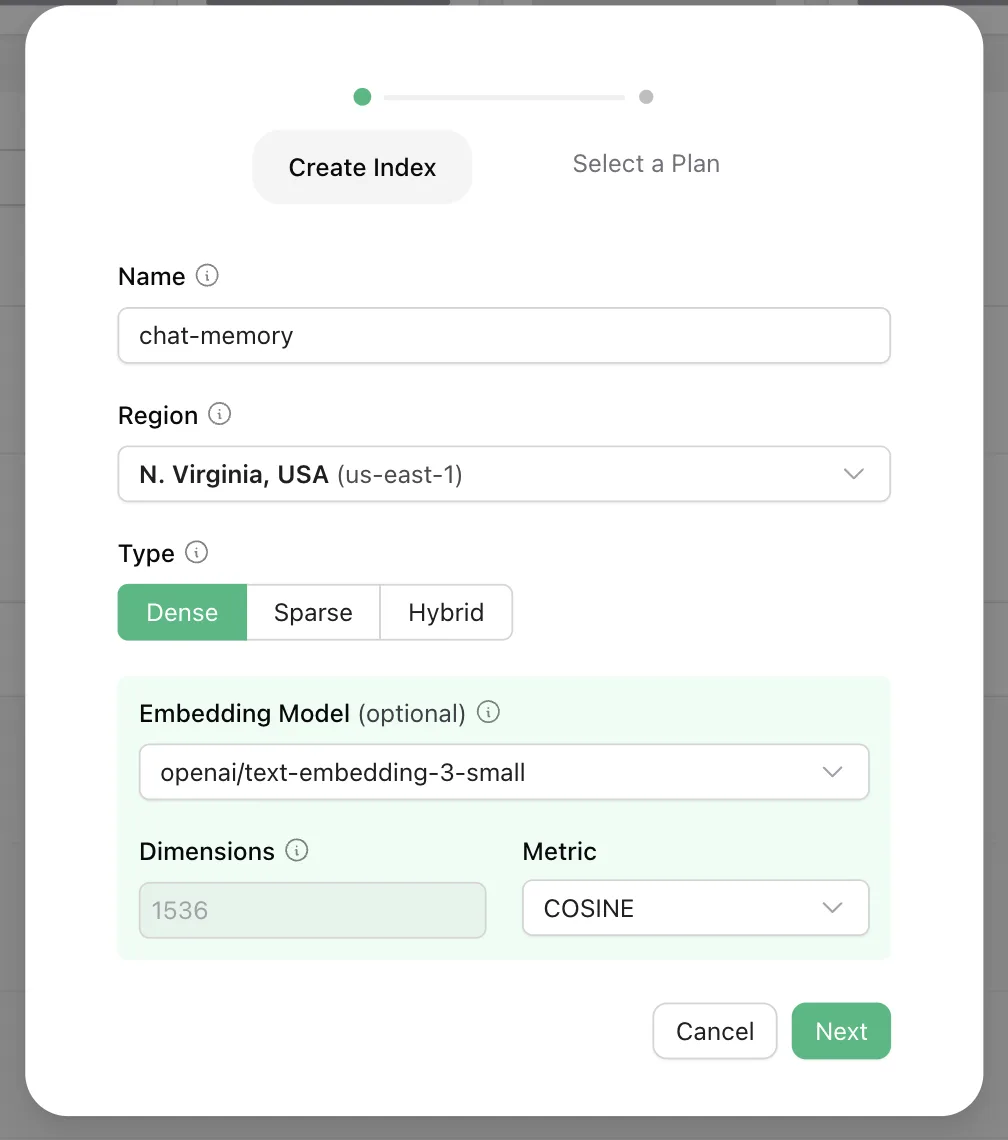
Then, you can start upserting and querying raw text data without any extra setup.